How it Works

Welcome to the QGIS Cloud Quickstart Guide. This guide will walk you through the first steps of using our powerful QGIS Cloud platform.
Setup QGIS
  • Install QGIS, the free desktop GISConfigure your proxy server, if you have one (Settings -> Options -> Network)
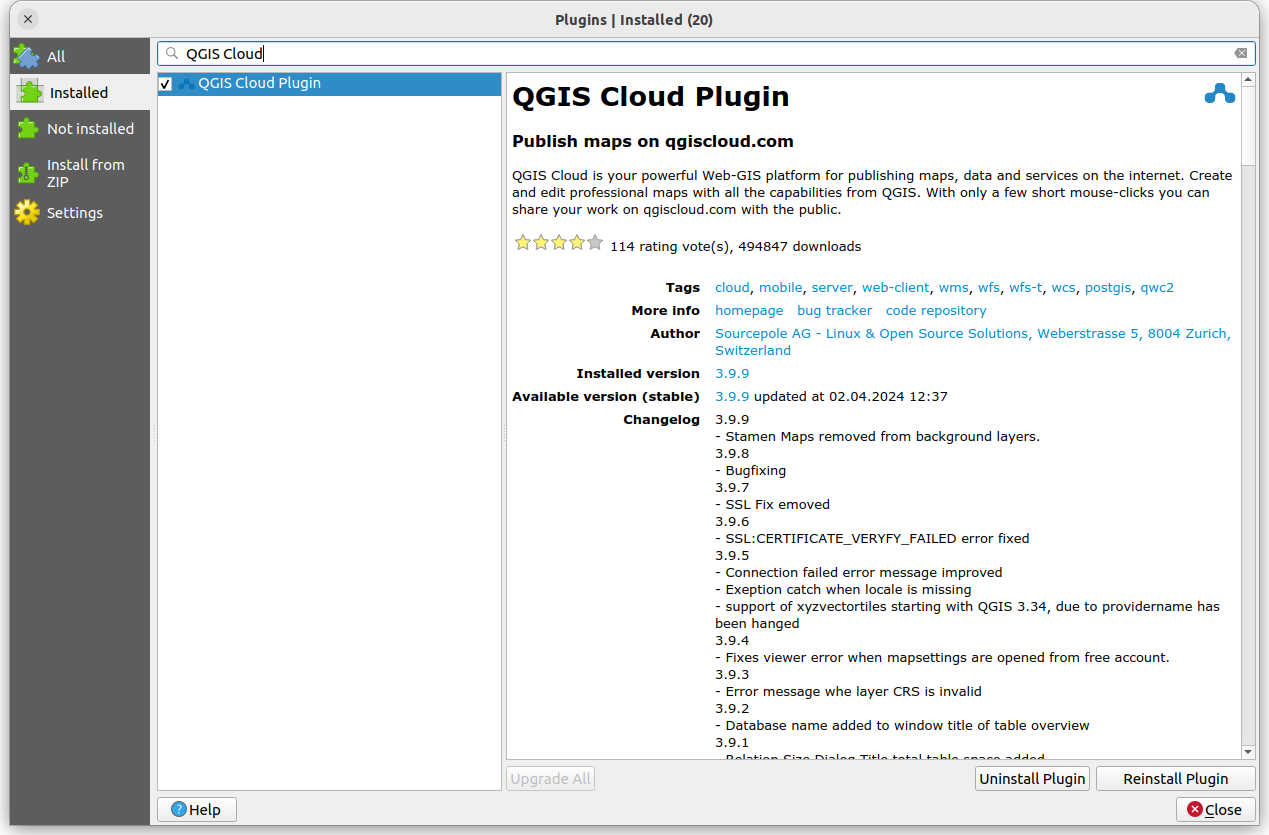
  • Open Plugin Dialog (Plugins -> Fetch Python Plugins)
  • Install QGIS Cloud plugin (Plugins -> Filter 'QGIS Cloud' -> Install plugin)
  • Install the OpenLayers plugin (Plugins -> Filter 'OpenLayers' -> Install plugin) for background maps.
Sign Up
  • Sign up for a QGIS Cloud account if not already done
  • Log in from the QGIS Cloud plugin
Create a QGIS project and publish it
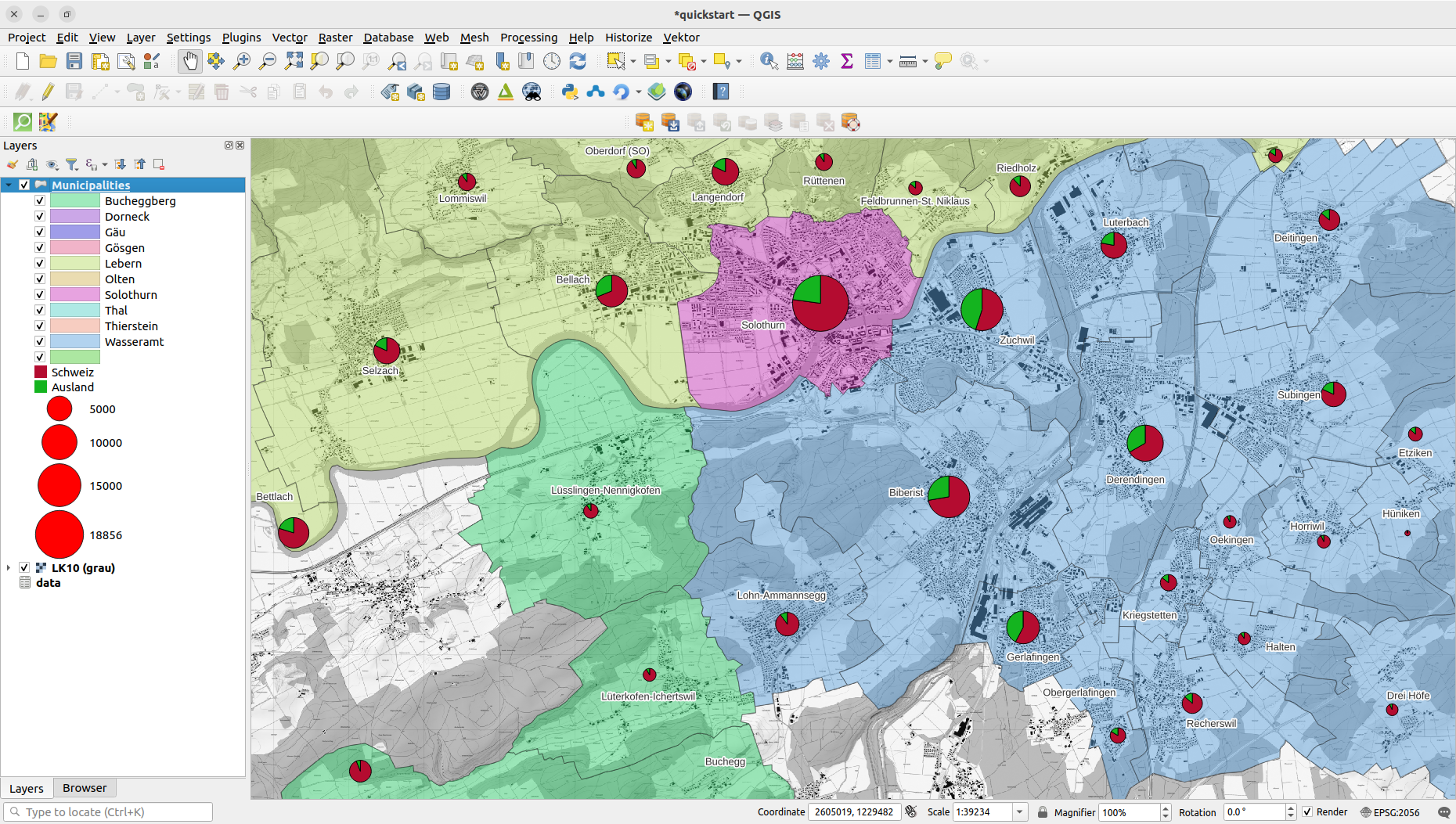
  • Create a map with your own data
  • Tip: read the QGIS documentation and follow a tutorial, if you are not familiar with QGIS
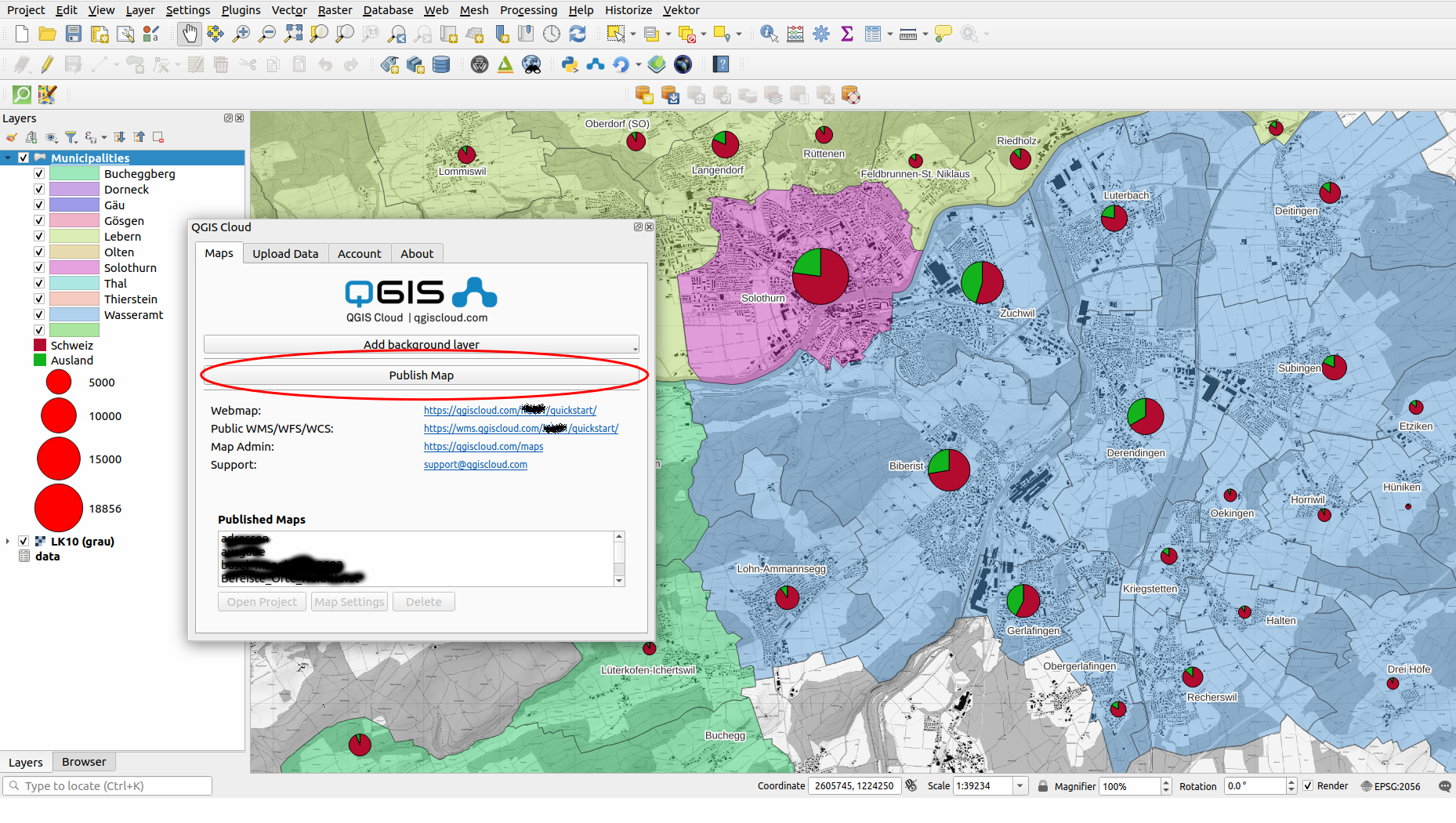
  • Press 'Publish Map' to upload you map
  • Answer 'yes' when asked for saving the project
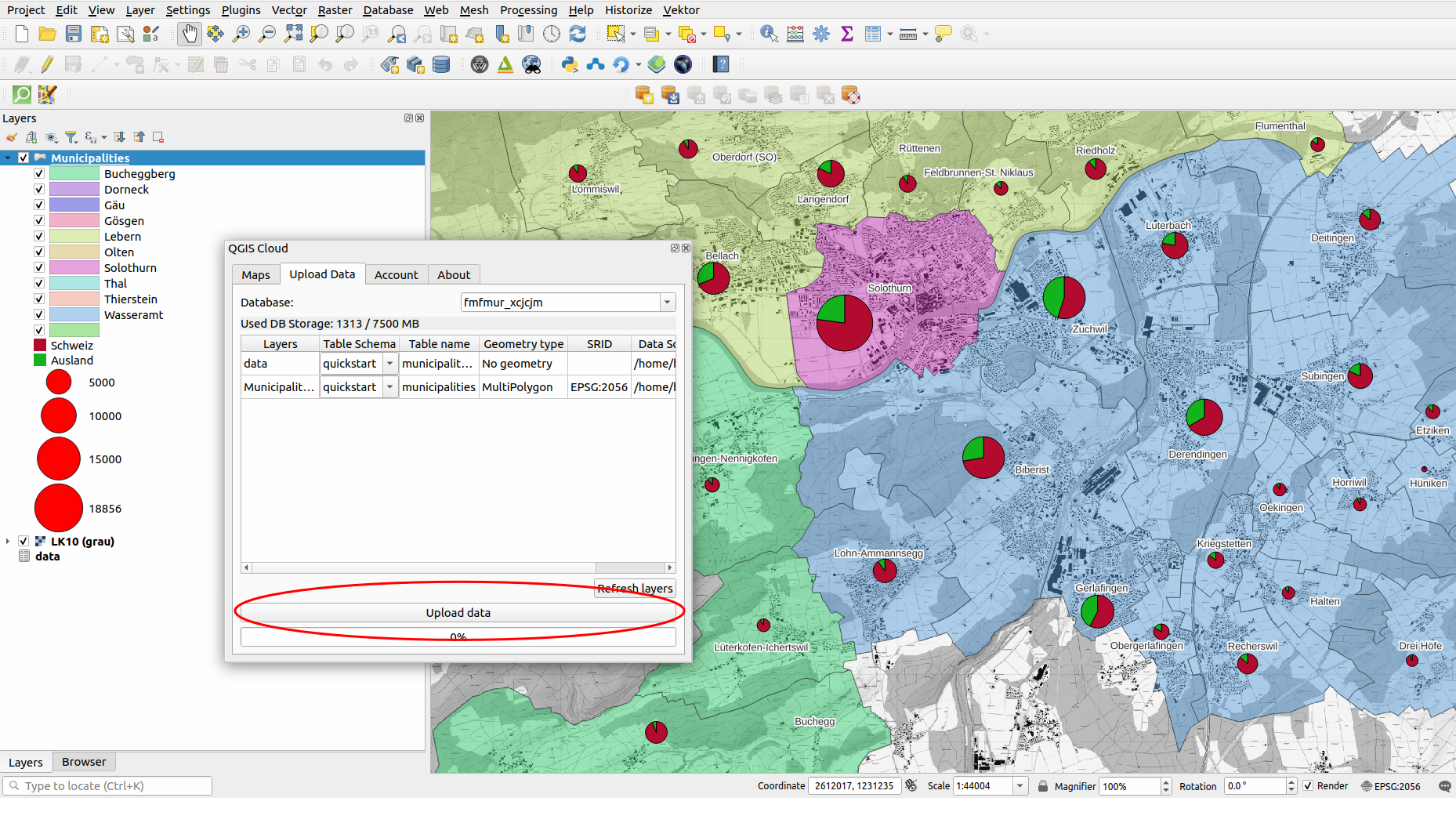
Upload local data
  • If your project includes local data, you will be asked to upload your data first
  • Note: if you are behind a firewall blocking the DB connection, please contact the QGIS Cloud support
Update map
  • After any changes, or when your first data upload has finished, press 'Publish Map' to upload your updated map
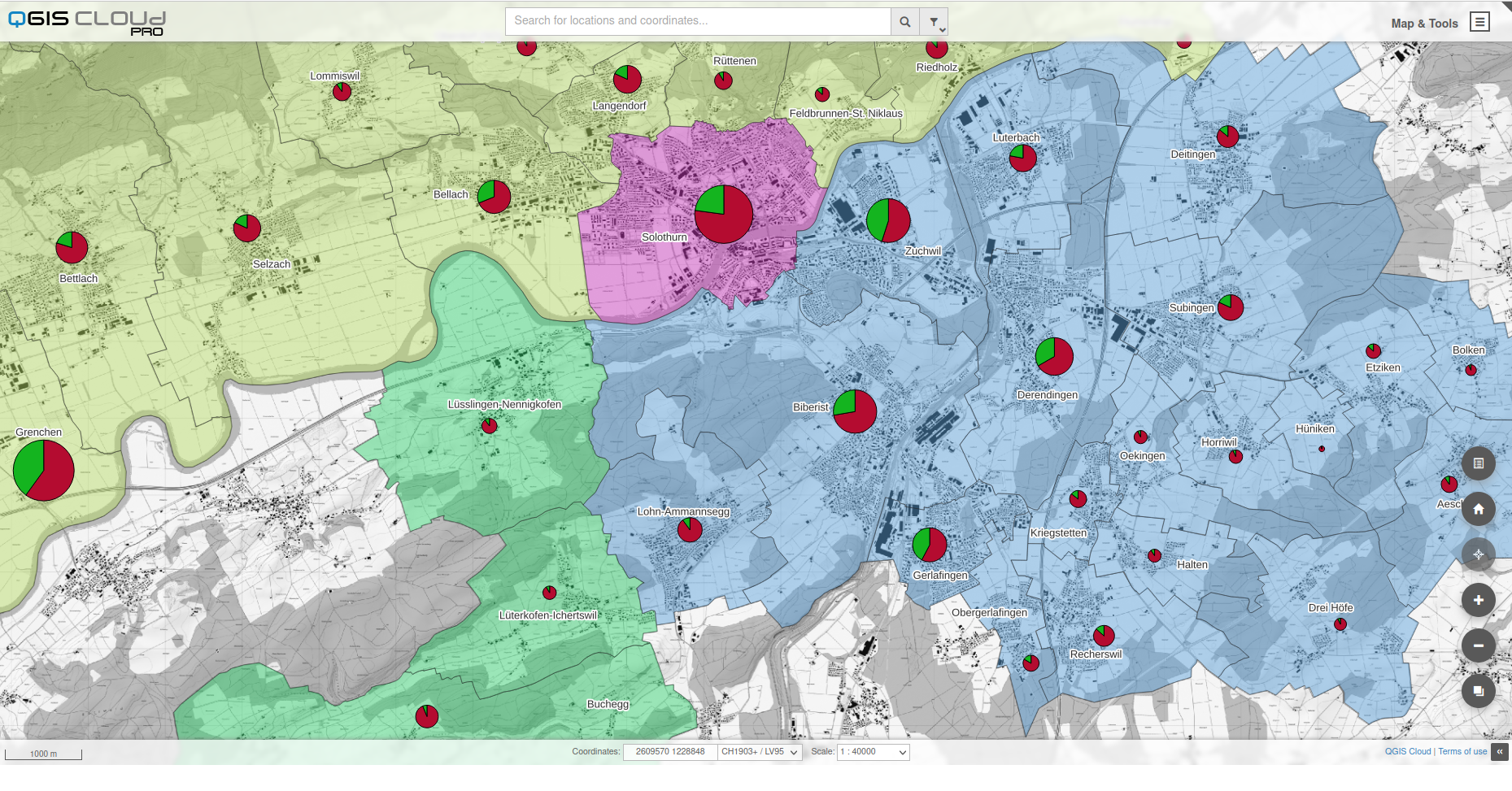
View your map in a browser
  • Open a web browser clicking on the 'Webmap' link on the plugin tab.

FAQs

Find answers to the most commonly asked questions about our GIS Cloud solution.

What is QGIS Cloud?

With QGIS Cloud, you can provide GIS data and maps online without having to set up your own server.

How does it work?

QGIS Cloud allows users to upload GIS projects from the QGIS desktop application to the cloud to create interactive maps and publish and manage them online.

Is it secure?

Yes, QGIS Cloud employs industry-standard security measures to protect your data and ensure its confidentiality.

Can I collaborate with others?

Absolutely! QGIS Cloud offers collaboration features by allowing users to easily share their published maps and data so that others can access, interact with, and provide feedback.

What are the pricing options?

Please visit our Pricing page to see the different subscription plans we offer.

Still have questions?

Feel free to reach out to us for further assistance.

Documentation

Do you want to know more about QGIS Cloud?

Read More

Elevate your mapping experience today